

I built an agent whose only job is to make sure every service has an owner.
It checks deployment history, CODEOWNERS files, and dependency relationships. If none of that is enough, it asks people directly on Slack. Then it either assigns the owner or routes to manual approval based on how confident it is.
Let me show you how to build it:
Step 1: Build a context lake
The agent needs a foundation to work from. Before it can find an owner, it needs to know everything that’s knowable about the service.
Start with your (micro)service entities. Each one should have:
Description
Owner: the field we’re trying to fill. Can be blank to start.
Linked repo: where the code lives
Tier
Associated team: even loosely assigned
Dependencies: which services this one connects to (ownership sometimes travels along dependency lines)
You also should have deployments and CI/CD jobs modeled: who triggered recent deploys, who’s been committing, which pipeline owns what. That’s what the agent digs through when the service entity itself doesn’t have much for the agent to work with.
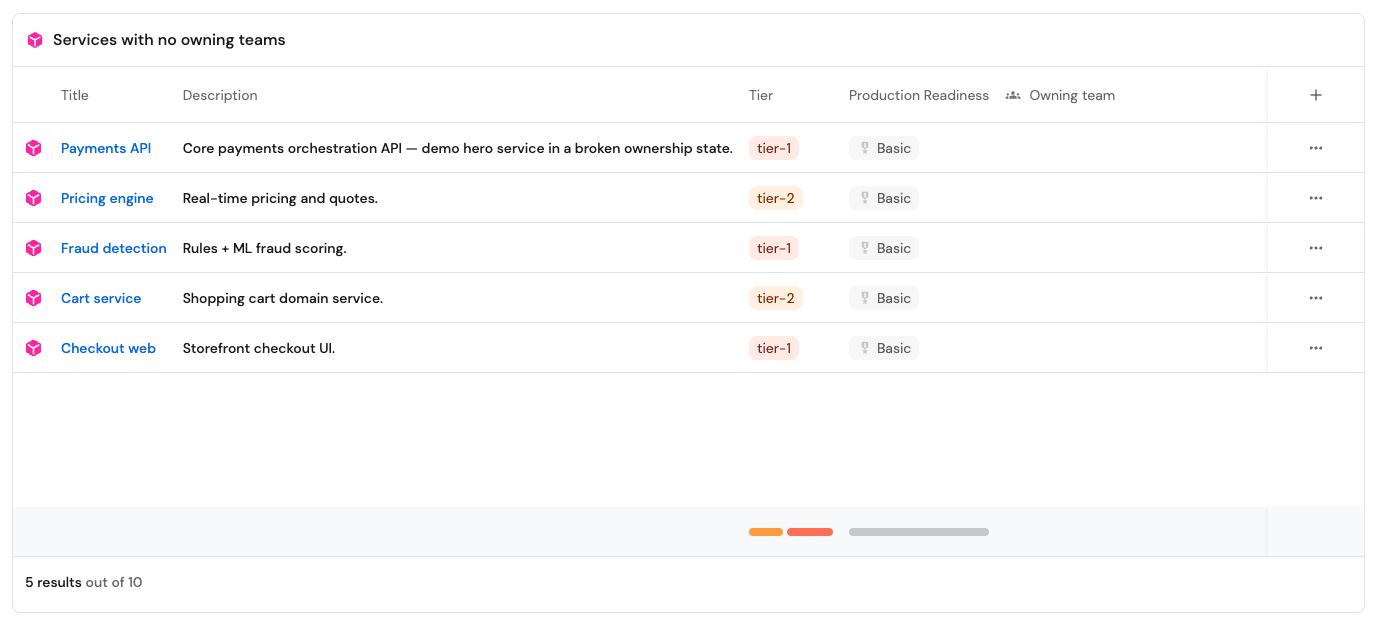
You don’t need perfect data to start. Even services mapped to repos mapped to a last-known team gives the agent enough to work with on most cases.
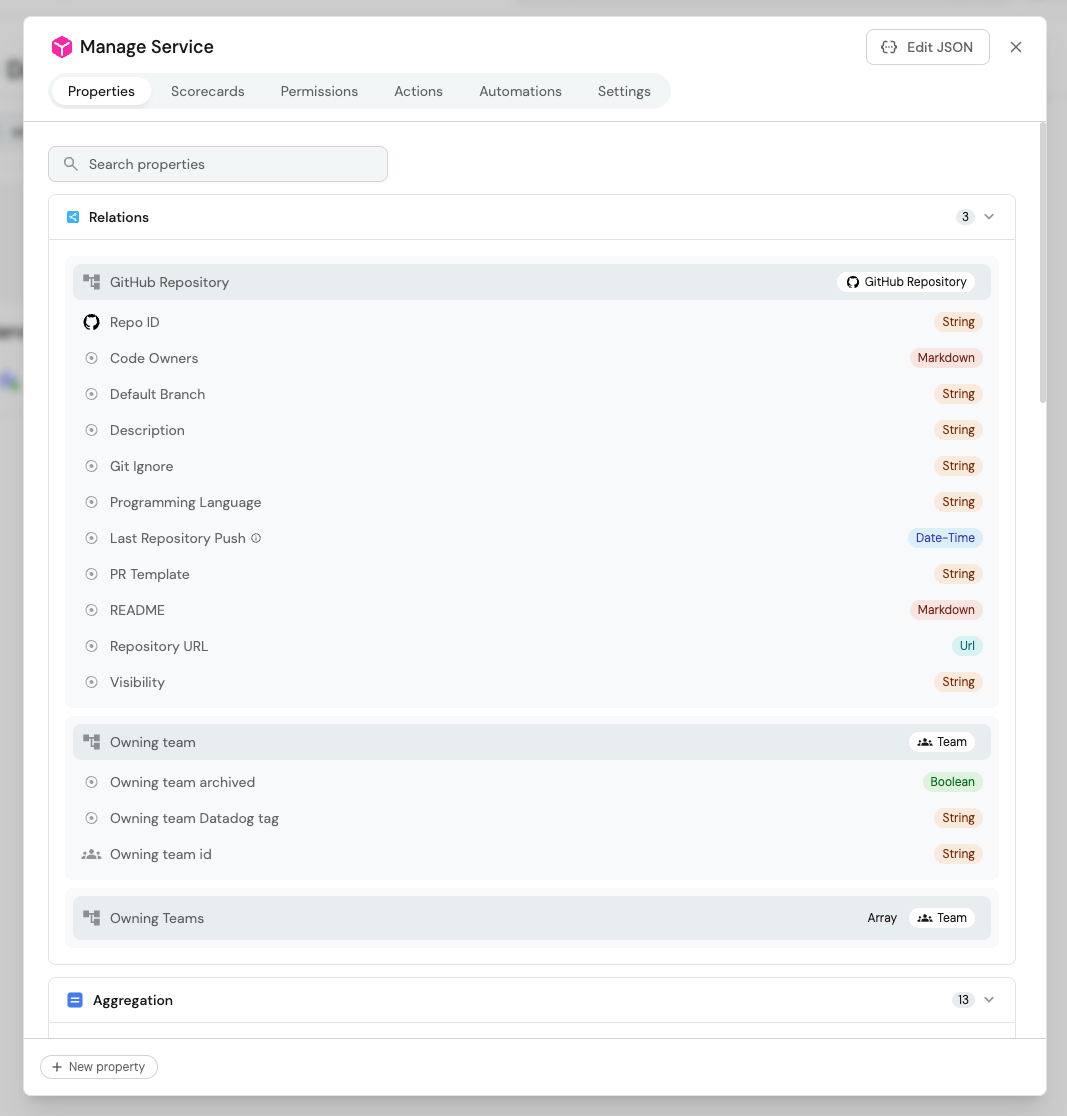
Step 2: Build the scorecard
Once your services are in the catalog, build a scorecard with a rule: every service must have an active owning team.
When a service’s owner field is empty, the scorecard marks it red and the agent gets triggered.
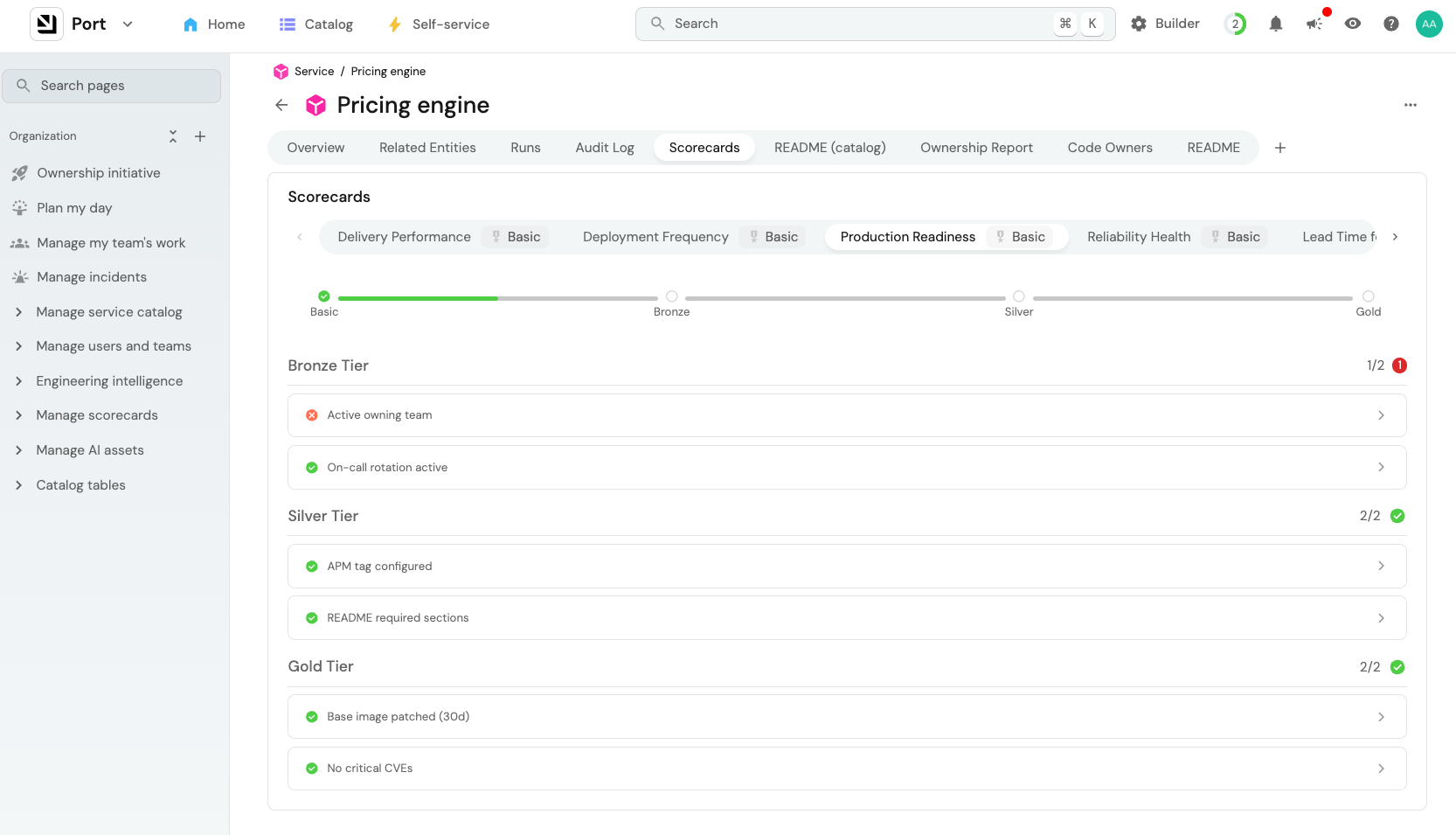
Step 3: Build the workflow
I decided to build this as an agentic workflow in Port. It’s triggered when a service’s production readiness scorecard turns red due to lack of ownership.
Once triggered, it works through its sources in order:
First, the context lake. It checks deployments from the last 90 days. Who’s been deploying to this service? Which team owns the repo it lives in? Is there a CODEOWNERS file? Does the service have a dependency relationship with a service that does have an owner? Most of the time, one of these gives a clear answer.
Then, remote MCPs. If the context lake doesn’t have enough signal, the agent queries connected sources — GitHub commit history, PagerDuty ownership data, your CMDB if you have one.
Finally, Slack. If neither source gives the agent enough confidence, it asks people who might be likely owners: “Hey, do you know who owns this service?”
Here’s a minimal skill file to give the agent its instructions:
## Service Ownership Investigation

**Goal:** Identify the most likely owner of a service with a missing owner field.

**Investigation order:**

1. Check deployment history (last 90 days) — who has been deploying to this service?

2. Check the service’s repository for a CODEOWNERS file or team ownership metadata

3. Check if the service has dependencies — do any of those have owners?

4. Query remote MCPs for additional ownership signals

5. If confidence is still below threshold, send a Slack message to the last deployer and the platform team

**Output format:**

- Proposed owner: [name or team]

- Evidence: [what you found and where]

- Confidence score: [0–100]

- Confidence rationale: [why you’re this certain]

**Confidence guidelines:**

- 80+: CODEOWNERS match or consistent deployment history with no ambiguity

- 60–79: Strong signal from one source, weaker from others

- Below 60: Conflicting signals or no ownership data found
The confidence score is the key decision point. Ask the agent to rate its own certainty and explain its reasoning. That explanation is what lets a human reviewer quickly validate or override.
Step 4: Set the decision gate
Based on the confidence score, the workflow takes one of two paths.
High confidence (80+): auto-assign.
The owner field gets updated automatically. The service goes green on the scorecard. The proposed owner gets a brief Slack notification: “You’ve been set as the owner of [service name] based on your deployment history. Reply here if that’s incorrect.”
They can push back in one click. But most of the time, the agent is right, and no one needs to do anything.
Lower confidence: manual approval.
The workflow sends the proposed owner a message with the agent’s evidence and asks them to confirm. “Based on your recent deploys, we think you own this service. Is that right?” One click to confirm, one click to reassign to someone else.
This gate is configurable. You set the threshold. If you’d rather have every assignment go through approval while you’re building confidence in the system, set it low. As you see the auto-assignments land correctly, raise it.
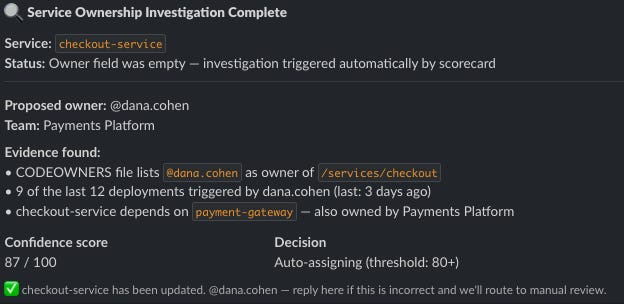
The long-term payoff
The obvious payoff is no more ownership gaps.
The less obvious one: the agent gets better. Every manual approval is another signal. Over time, the confidence scores improve because it’s seen your org’s patterns, knows which signals are noise, knows how your teams tend to structure ownership. The approval rate drops on its own.
You also end up with visibility you probably didn’t have before. Which teams have coverage gaps? Which services have changed hands three times in a year? Which ones have never had a named owner? That data matters regardless of the agent.
Build it yourself
You need four things: a service catalog, a scorecard with an ownership rule, a workflow with a skill file that includes confidence scoring, and a place to receive messages like Slack.
You can start by manually triggering this workflow on your highest-value services. Let the agent run through a few ownership gaps and check its confidence scores against what you’d manually verify. Then expand scope.
One more thing worth doing before building this: make sure your team agrees on what a service actually is. Getting that definition right is what makes ownership meaningful. You can’t own something nobody’s agreed on. Here’s how we define it: A service needs to be a deployable unit owned by a single team. (You can read more about that here)
And once you build this workflow, you’ll never have to ask who owns this service.