

I was watching our DevOps team’s Slack channel the other day and saw the same message come in a few times.
“Why did my pipeline break?”
Every time, someone from the platform team had to stop what they were doing, read the logs, figure out whose problem it was, and explain it.
Sometimes it was on the developer’s side.
Sometimes it was on the DevOps’ side.
So I built a workflow that reads the logs, figures out whose problem it is, opens a PR with a fix, and if the change is small enough, merges it automatically. The developer finds out their pipeline broke and was already fixed. And if the workflow does a great job, the platform team doesn’t find out at all.
Here’s how we built it at Port.
Step 1: Create your context lake
The agentic workflow we’re going to build needs three things from a context lake to do its job: the logs from the failed run, ownership data to know who’s responsible, and a skill file that tells it how you want it to behave.
GitHub: gives the agent live read access to your workflow runs: the failed step, the full log output, the error message, and the code that triggered the run. This is the core or the triage decision.
A service catalog with pipeline ownership: at minimum, a mapping of “this pipeline belongs to this team.” The agent needs to answer: given this failed pipeline, who do I assign the PR to?
A skill file: This is where you can tell your agent things like what counts as a developer failure vs a platform failure, how to write the PR description, or when it’s safe to auto-merge.
Here’s a minimal example:
## CI Failure Classification Rules

** Developer issue (assign PR to developer): **

- Build step failed → platform owns the Dockerfile, not what’s inside it

- Linter or format check failed → standard violation

- Pre-merge test suite failed → new code broke the test

** Platform issue (assign PR to platform team): **

- Push to GitHub failed → credential, API, or network issue

- Deploy to cloud failed → infrastructure misconfiguration

- Secret or env var missing → platform configuration

**Auto-merge if:**

- Change is a single-line config fix

- No infrastructure files modified

- Failure pattern has been seen and resolved before

**PR description format:**

- One sentence explaining what failed and why

- One sentence explaining what the fix does

- Link to the relevant standard or runbook if applicable
Learn more about skills in Port here
For better performance, you might also want to give it access to:
Deployment history: recent deployments from the same service help the agent understand if a code change caused the failure
CI job failure history: past failures on this pipeline let the agent recognize known patterns and skip the investigation for things it’s seen before
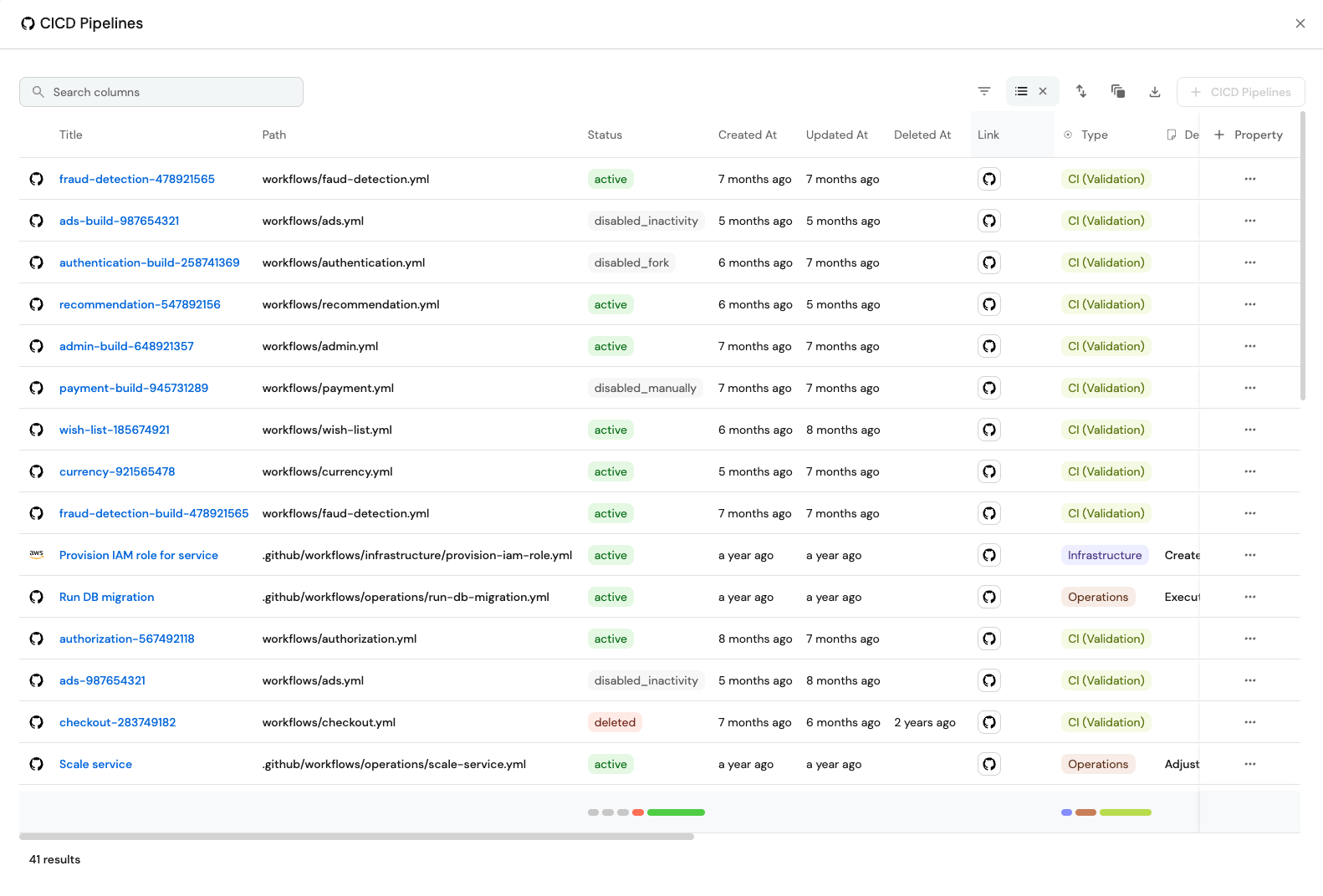
Learn more about building a context lake here
Step 2: Build the agentic workflow
Once the context lake is set up, you’re ready to build the workflow.
Set up a trigger: listen for failed CI jobs
You can listen for a failed job from anywhere: GitHub Actions, Jenkins, GitLab CI, ArgoCD, wherever you want
When a CI job status changes to failed, the workflow starts.
I would recommend not triggering it on every pipeline failure. That could be expensive and noisy. Start with a small part like your pre-merge test suite on production. If it fails, the PR reopens and the merge is blocked. It only runs maybe 10-20 times a day, not thousands, but it’s urgent to fix.
Other good starting points: self-serve infra pipelines (create a database, provision a new user), or anything where a failure has a clear owner and the stakes are obvious.

Build an agent that triages the failure
The first agent reads what failed and classifies it. It has access to everything you set up in step 1: the live logs via GitHub MCP, the ownership data from your catalog, the skill file, and the failure history if you’ve connected it.
Any engineer who’s done this for a while can look at a failed pipeline and tell you whose problem it is. The agent does the same thing using the context lake and the skill you wrote for it.
The agent cross-references with the skill file to apply your org’s classification rules. For example:
Logs show
npm run buildfailed withType error: Property ‘id’ does not exist on type ‘User’→ build step, code issue, developer’s problemLogs show
docker pushfailed with unauthorized: authentication required → push step, credential expired, DevOp’ problemLogs show eslint failed with
no-unused-vars on line 34→ linter step, standard violation, developer’s problemLogs show terraform apply failed with
Error: AccessDenied→ deploy step, IAM misconfiguration, DevOps’ problem
If you’ve connected CI failure history, it checks whether this exact pattern has come up before and how it was resolved. If it has, it skips the analysis and goes straight to the known fix.
The output is a classification. Is it a developer issue or platform issue? Plus it adds a plain-language summary of what failed and why.
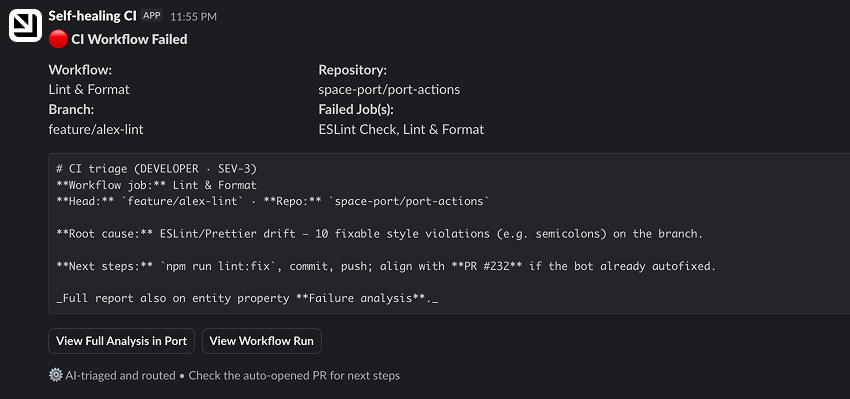
Add a Slack message node
The triage agent sends a Slack message with the result: what failed, why, and whose problem it is. The developer or platform engineer sees the classification before a PR ever lands in their inbox.
Send the suggested fix to a coding agent
The triage agent from the previous step injects a prompt into a coding agent like Cursor or Claude Code. The coding agent reads the classification, looks at the relevant code, and opens a PR with a suggested fix.
Add an agent that will assign the PR to the right person (or auto-merge)
The next question is: who is assigned to the PR?
If the developer should be assigned, it looks at who triggered the run.
But if it’s not, the agent uses the context lake to decide who is assigned to the PR.
Build step failed → developer. The platform owns the Dockerfile, not the code inside it.
Push to GitHub failed → platform. That's a credential or network issue, not the developer's code.
Linter failed → developer. They broke a standard.
Deploy to cloud failed → platform. Something is misconfigured in the infrastructure.
Pre-merge test suite failed → usually the developer, since new code broke the test, not the environment.
But for certain failures (like a config typo, a minor standard deviation, a known-safe pattern), the agent assesses the risk of the fix and merges the PR itself. The CI job reruns and nobody reviews it.
For anything riskier (larger diffs, infrastructure changes, new failure patterns), it assigns to a human and waits.
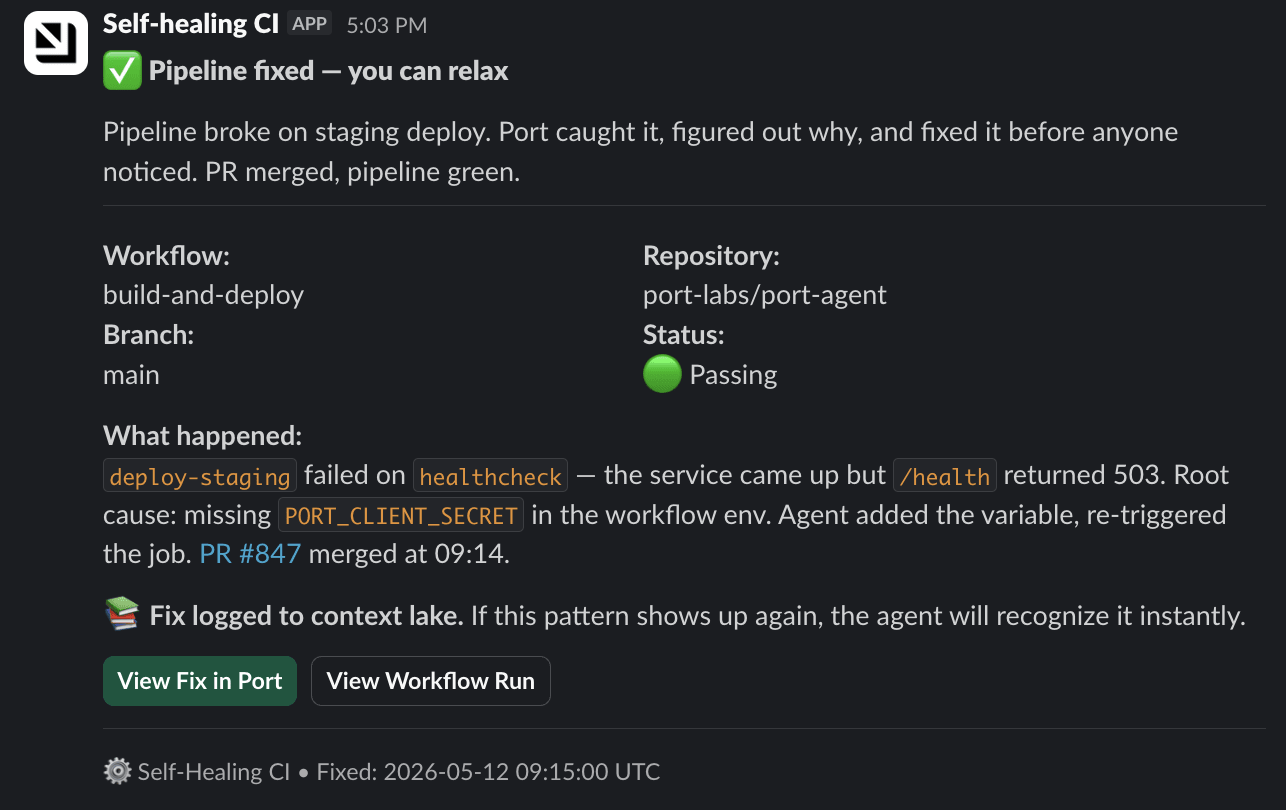
And then you get this in Slack:
Learn more about workflows in Port here
Tracking the ROI of self-healing CI pipelines
The immediate payoff here is fewer Slack pings and faster fixes.
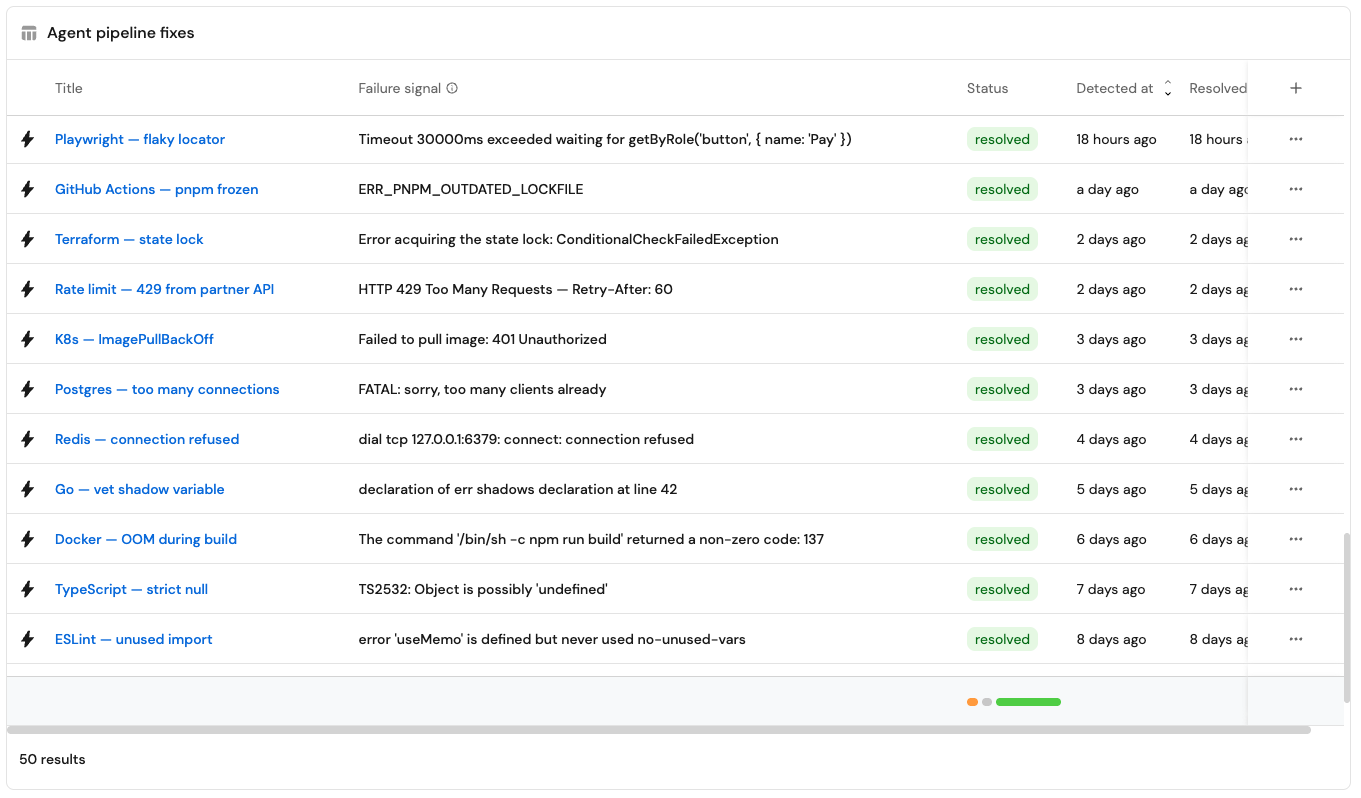
The longer-term payoff is that the context lake gets smarter. Every fix the agent opens gets stored as a resolved failure. That way the next time the same pattern shows up, the agent recognizes it, skips the investigation, and goes straight to the fix. The failure history you connected in step 1 is what makes this possible. It becomes like a memory for this agent.
Build it yourself
Now you know how to build it yourself.
As a reminder, you need three things:
A context lake that tracks your services, deployments, and CI/CD jobs
Access to the failed CI step
An agentic workflow that triggers on status: failed
And of course AI.
Start with one high-value, low-frequency pipeline. Build the triage agent first. See the classification work on real failures. Then layer in PR creation, assignment logic, and the auto-merge decision.