

A few months ago we realized that every engineer on our team was running a different version of their AI coding assistant.
Not the models, they were all using the latest ones.
But the skills their agents were using were all over the place. And skills make all the difference.
Some engineers configured their own skills. Others copied from older versions. And some just took some skills they found online.
And we had no visibility into any of it because skills are local config files.
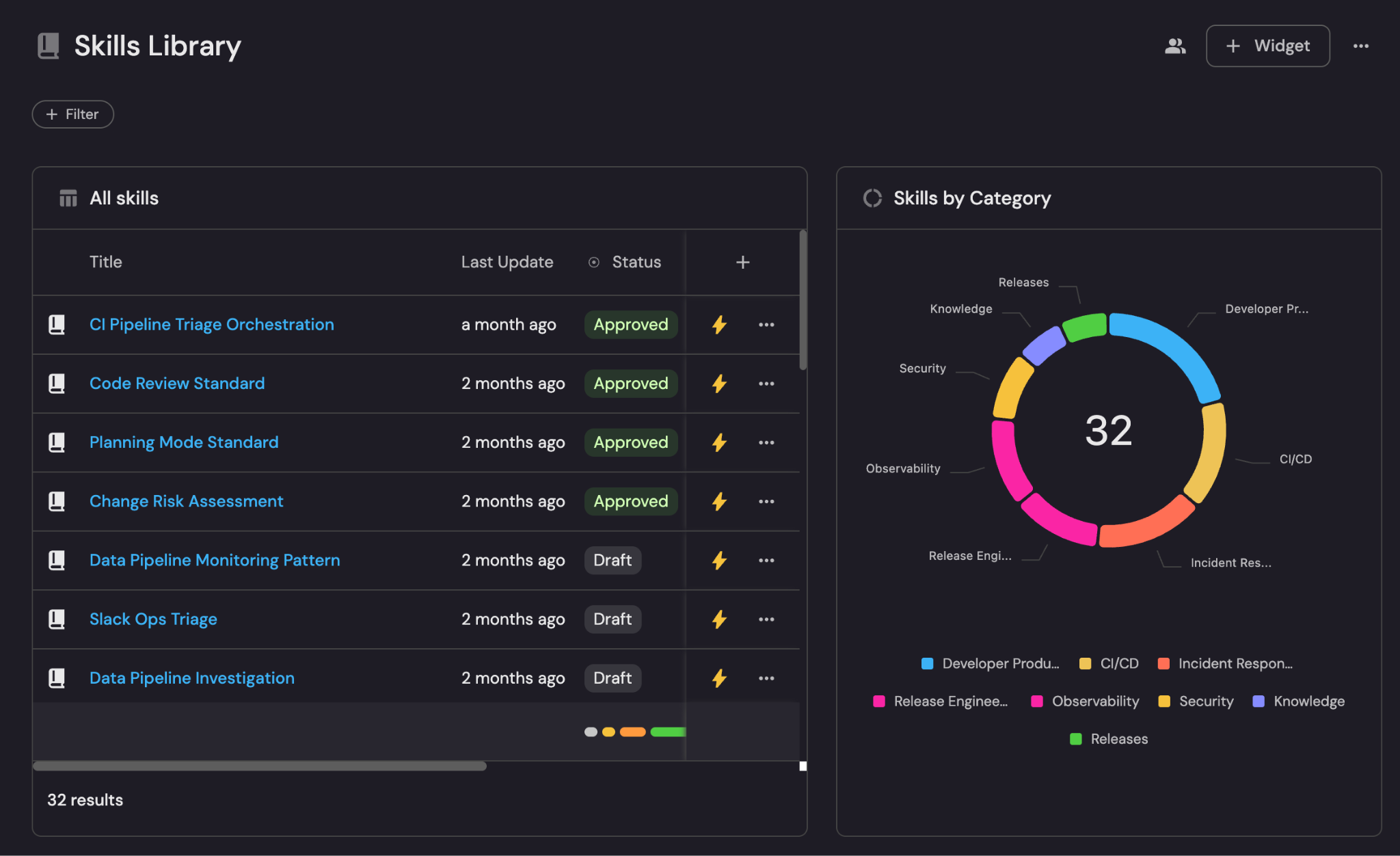
So to solve it we built a skills library. Now every engineer runs one command and gets all the skills delivered to their IDE.
They get required company standards pulled automatically and they can also load optional skills based on what they’re building.
Here’s how we built it:
Step 1: We put all our skills in a library
Skill files are just markdown files and they tell AI agents how your company works. You might have one for security conventions, one for incident protocols, and one for coding standards.
Here’s an example of our triage incident skill:
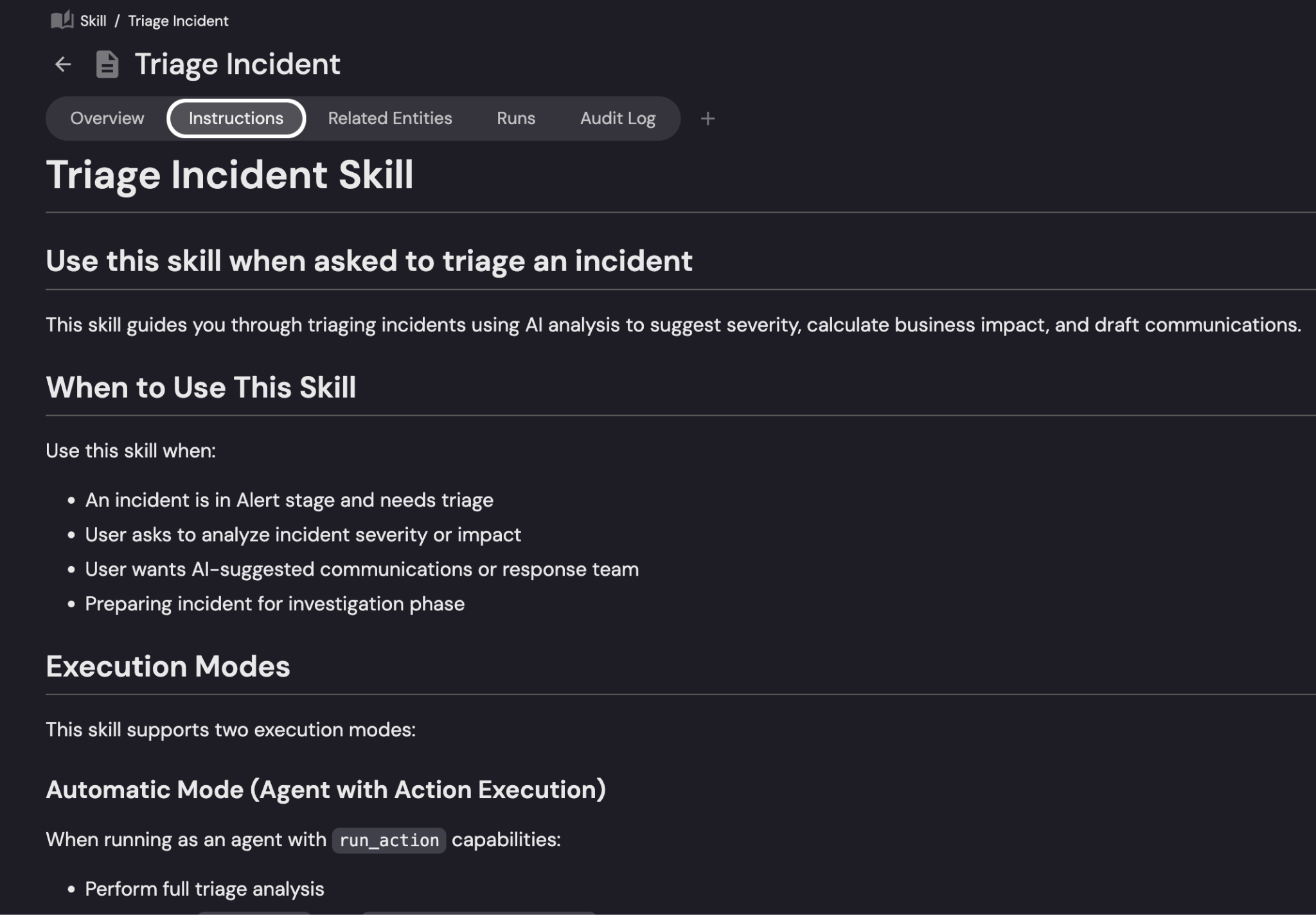
I’d suggest keeping them in version control and connecting them to the services and teams they’re relevant to.
There are a couple reasons why you’d want to keep them in version control.
Firstly, they change a lot and you want to keep track of those changes.
Second, the destination for the skills is usually an IDE, so having them in git makes it easy for developers to sync them to their IDE.
Lastly, and most importantly for us, having the skills in GitHub (or any version control) lets us auto-discover them into Port where we can connect them to everything else.
When skills are scattered (we call them “shadow skills”), we find it useful to auto-discover them from as many places as possible.
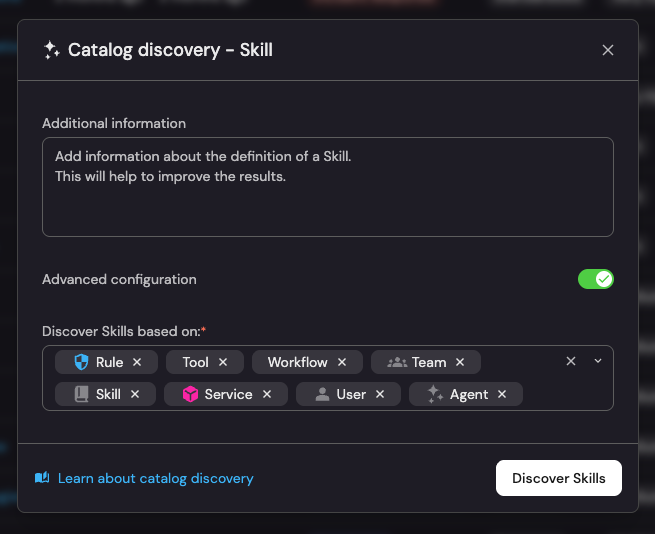
We also get inspiration for skills in other places like PR review comments, ADRs and incident postmortems, onboarding docs, and community libraries like skills.sh.
Once you have your library assembled, it’s time to organize it.
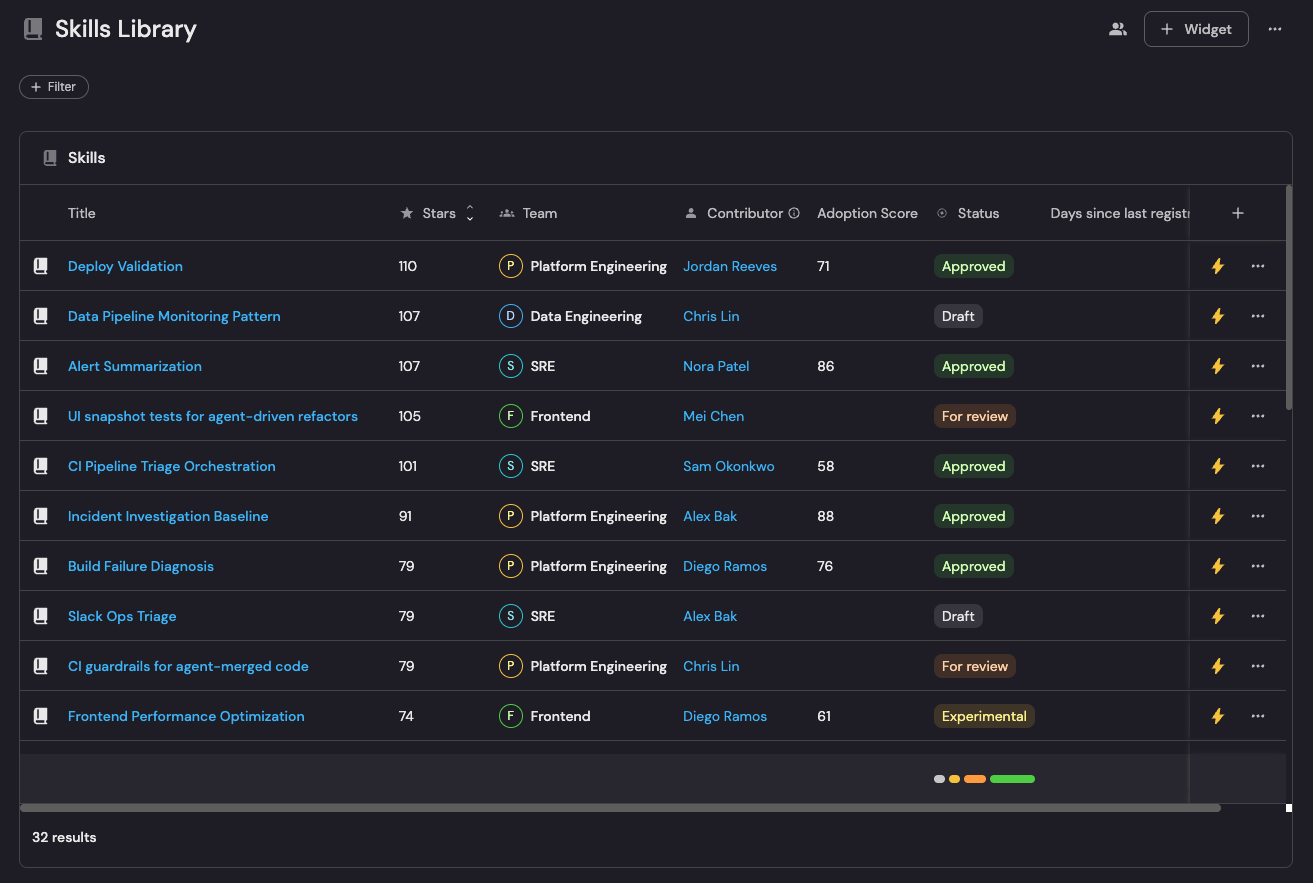
Step 2: Organize into groups and decide what’s required
A library of 200 individual skills isn’t really useful to anyone. Nobody wants to browse 200 files and find the few relevant ones.
To solve that, we group them by use case: engineering standards, frontend, backend, data, infrastructure, etc.
That way, when an engineer gets set up, they pick and import an entire group, not individual files.
Skills should also be either required or optional.
Required skills are non-negotiable. Every engineer and agent gets them automatically, no opt-out:
Security: monitors for prompt injection, flags attempts to exfiltrate sensitive data, blocks unauthorized external API calls
Coding conventions: how your team handles errors, names directories, structures TypeScript, writes tests
Rule governance: where skill files live, how they get named, how changes get versioned
Optional skills are role-specific and load only when relevant:
React components: component structure, RSC vs. client component rules, Web Vitals priorities.
Incident triage: walks through affected services, recent deployments, root cause categories, stakeholder update format.
Step 3: Engineers get the skills automatically
Engineers connect to the library using their existing permissions, and the CLI pulls the required groups automatically, then prompts them to choose which optional groups they want: frontend, data and ML, whatever matches their work.
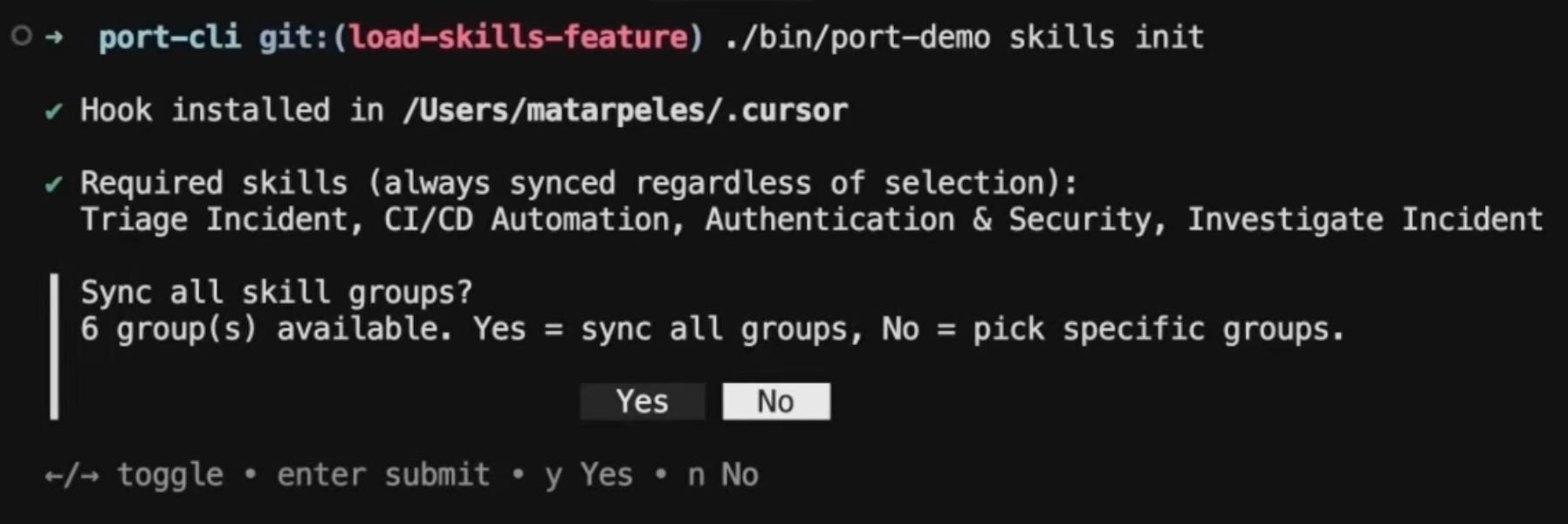
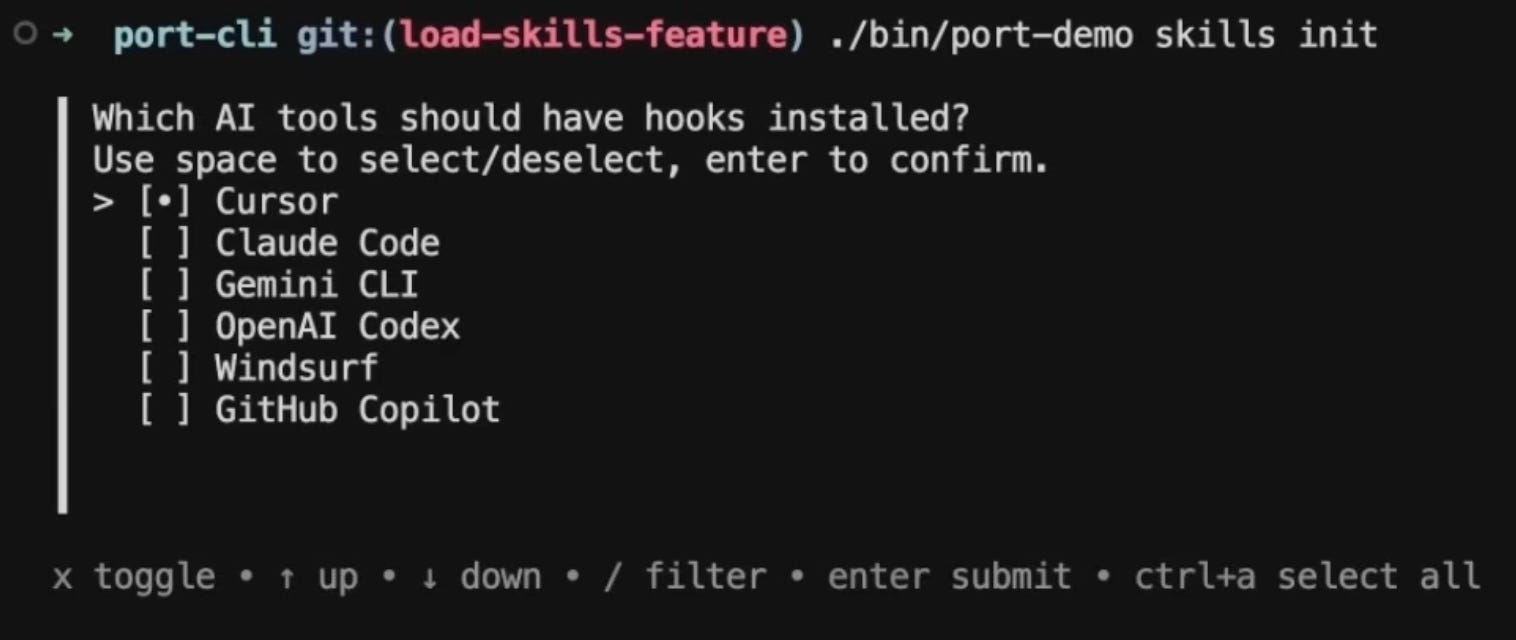
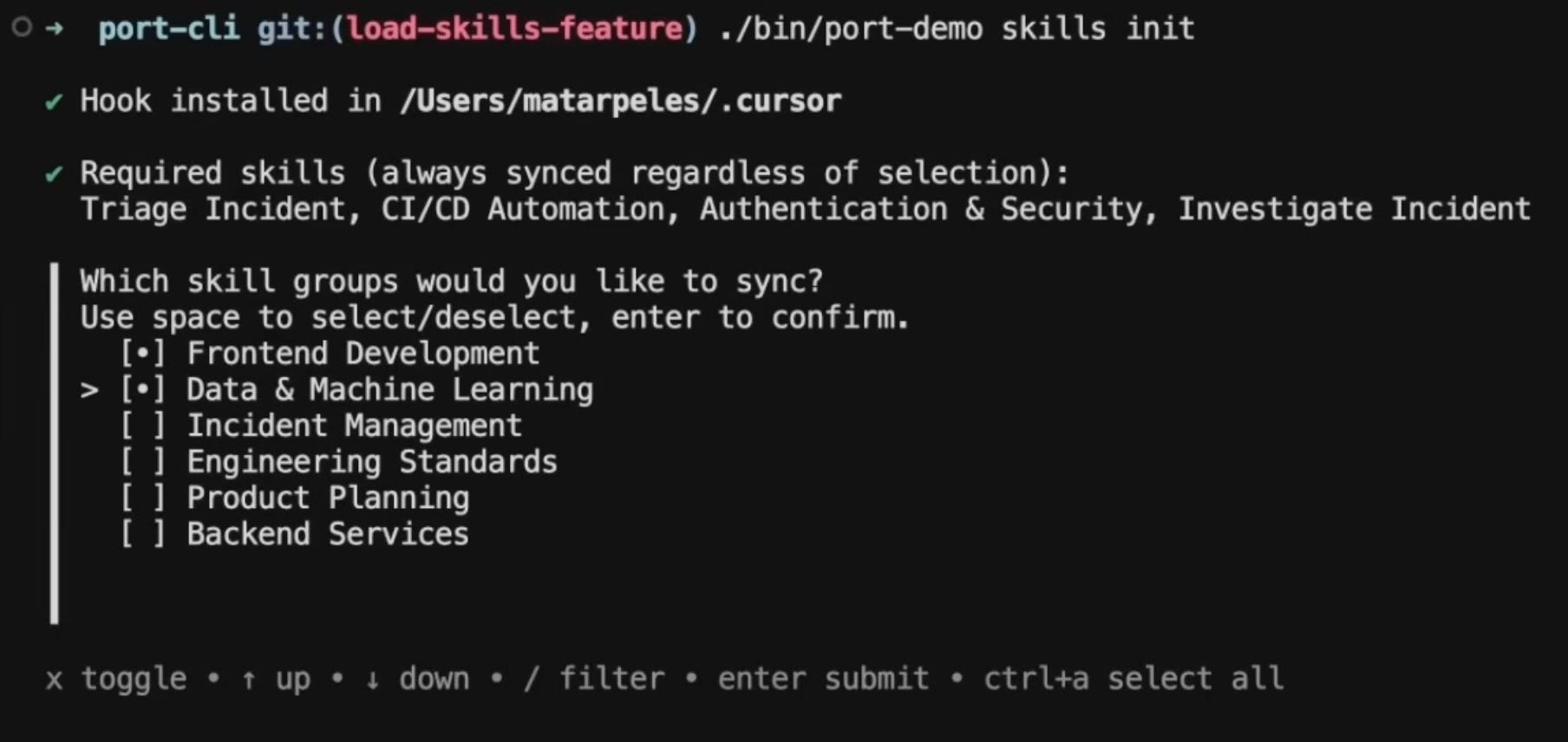
Skills land directly in .cursor/ or whichever IDE config folder they use.
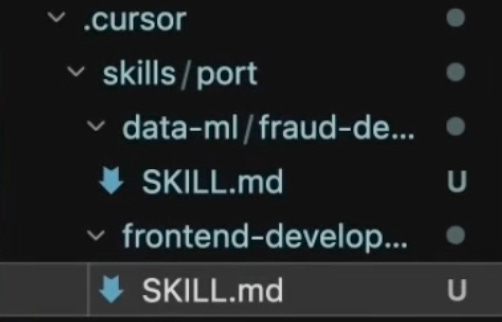
Two things make this work really well for us:
First, updates. Every engineer in Cursor has an automation that listens for changes to skills in Port and pulls new required skills and updates existing ones.
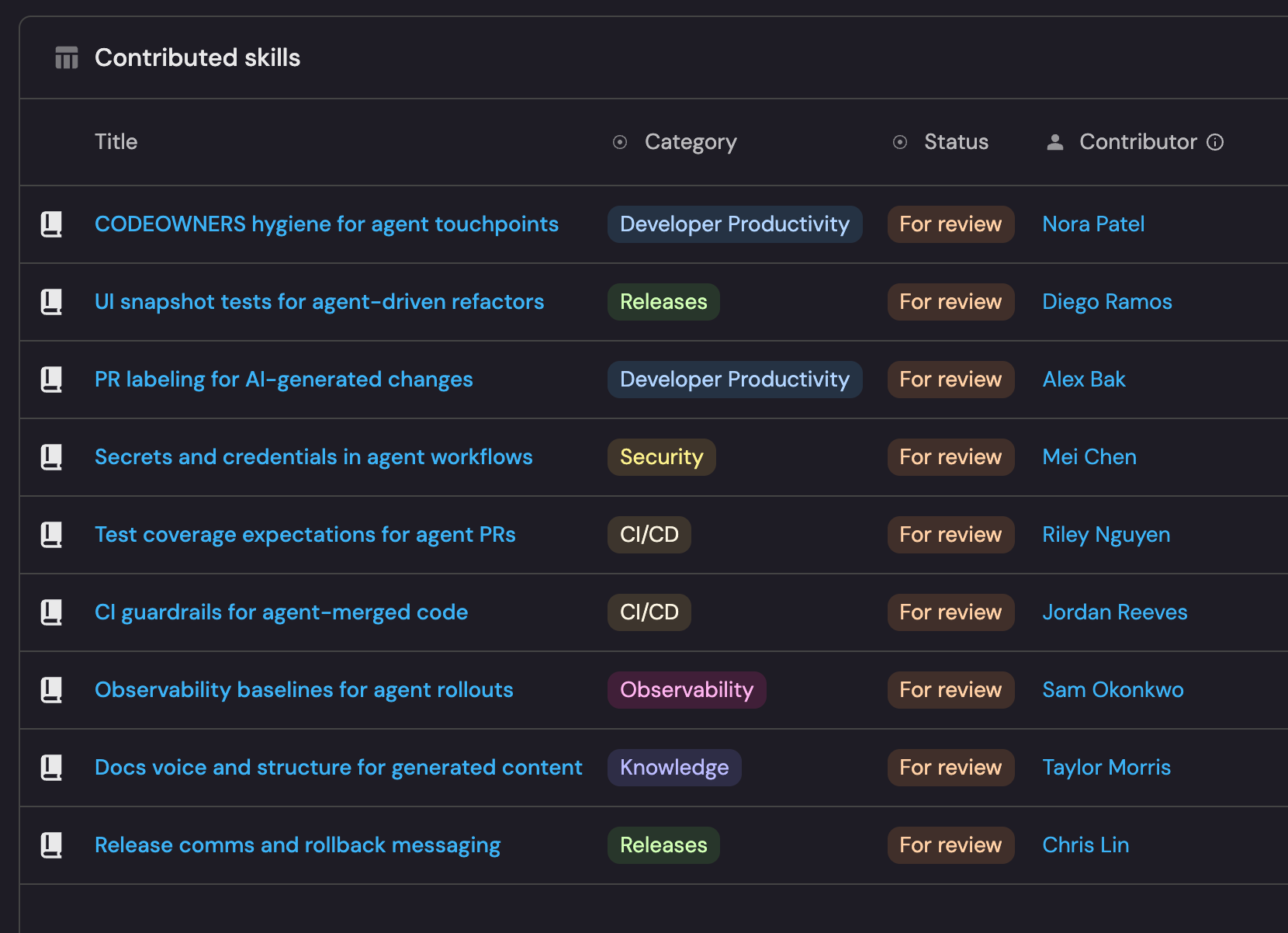
Second, we make it easy for developers to contribute back. They can go to Port and star skills they like and submit new skills directly from their IDE. Then they go through review by the platform team, get merged, and get redistributed to the whole team, basically the same loop as an open source contribution. The library gets smarter over time without the platform team having to own every skill themselves.
Step 4: The feedback loop
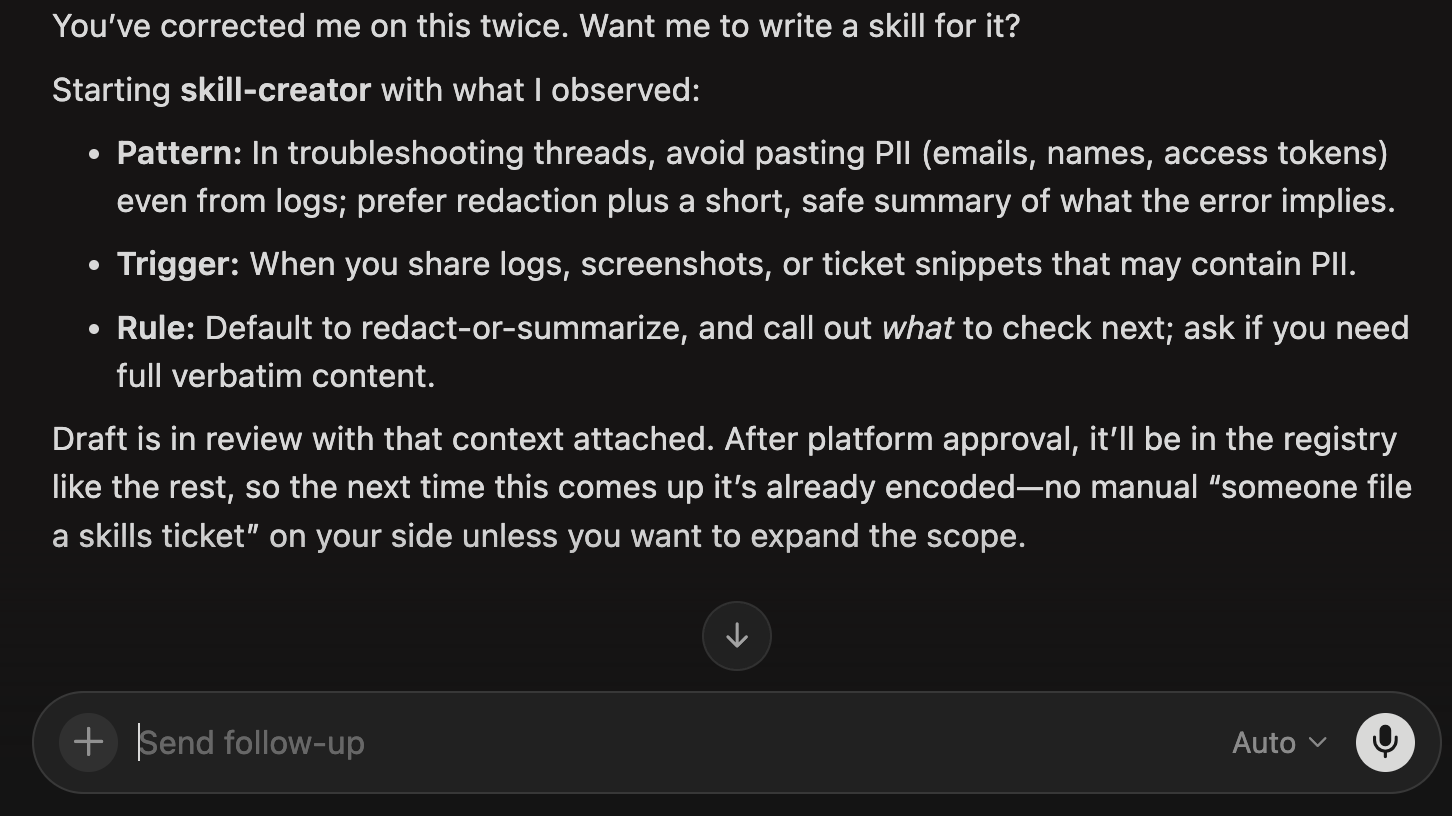
We also have a meta-skill: a skill whose job is to watch for repeated corrections. When you fix the agent on the same thing twice in a session, it surfaces: “You’ve corrected me on this twice. Want me to write a skill for it?” If you say yes, it kicks off the skill-creator automatically, pre-loaded with what it just observed.
The loop becomes self-closing. The agent notices its own gaps, proposes the fix, and routes it into the same review and distribution flow. The platform team still reviews everything, but they’re not waiting on engineers to manually notice and submit. The library improves in the background.
Step 5: Track if it’s working
Before the skills library, we had no idea what skill any agent on the team was running. Now we have a dashboard that tells us who’s set it up, which groups they pulled, and when they last synced. If someone is running on a six-month-old version of a skill, or never ran skill init at all, we know.
We also track skill health: how old each skill is, when it was last updated, who owns it. Skills go stale just like documentation does. Anything that hasn’t been touched in 90 days gets flagged.
The contribution pipeline is basically a PR queue for the library: Skills submitted, in review, merged, rejected.
The metric I find most interesting is agent quality signals. We track which review comments keep appearing on AI-generated PRs. If the same comment shows up more than a few times across different engineers, it automatically contributes to a skill or creates a new one.
And we track coverage by team: which teams have required skills loaded, which optional groups they’ve pulled, or where the gaps are.
Why this matters: agent sprawl
Your team probably already has an agent sprawl problem but you may not know it yet: hundreds if not thousands of unofficial different skills, agents, MCP servers being created and used.
A skills library is part of the fix. And once you have one, someone on your platform team can actually answer the question: what does every agent in this org know right now? At most companies, nobody can answer that.
Build it yourself
It’s just a few hours of work for one platform engineer, and once it’s running, the whole team benefits automatically.
So, how can you build this?
Everything you need is right here in this guide
And to help guide you, you can follow along here:
Reach out or leave a comment if you need any help!