

Code review as we knew it is dead. We see it at Port but also in our customers. PRs are being opened at an increasingly fast pace by agents. It’s all much too fast for humans to review every line of code. So much so that code review agents have taken over that job now.
So if engineers aren’t reading code anymore, how do they, and architects, know what’s changing? That’s the question today, not “Is this code okay?”, but “Is this change okay?”.
We need an easy way to see what’s changing in the system, its impact, and how risky it is.
Let’s call it change review.
To do that well, we’ll need a few things:
Context about the engineering organization. Just the code is not enough. It needs services, ownership, blast radius, and more.
A place to run agents on pull requests
A way to group pull requests into groups
The right skill that will make the agent group things the way we want
So let’s build it in Port.
Prerequisites
To build this flow, you’ll need a context lake that has all your engineering context.
At minimum, you need the following:
GitHub or similar: gives the agent access to your pull requests and descriptions
A service catalog with connections to pull requests: In order to assess risk, the agent needs to follow the connection between pull requests
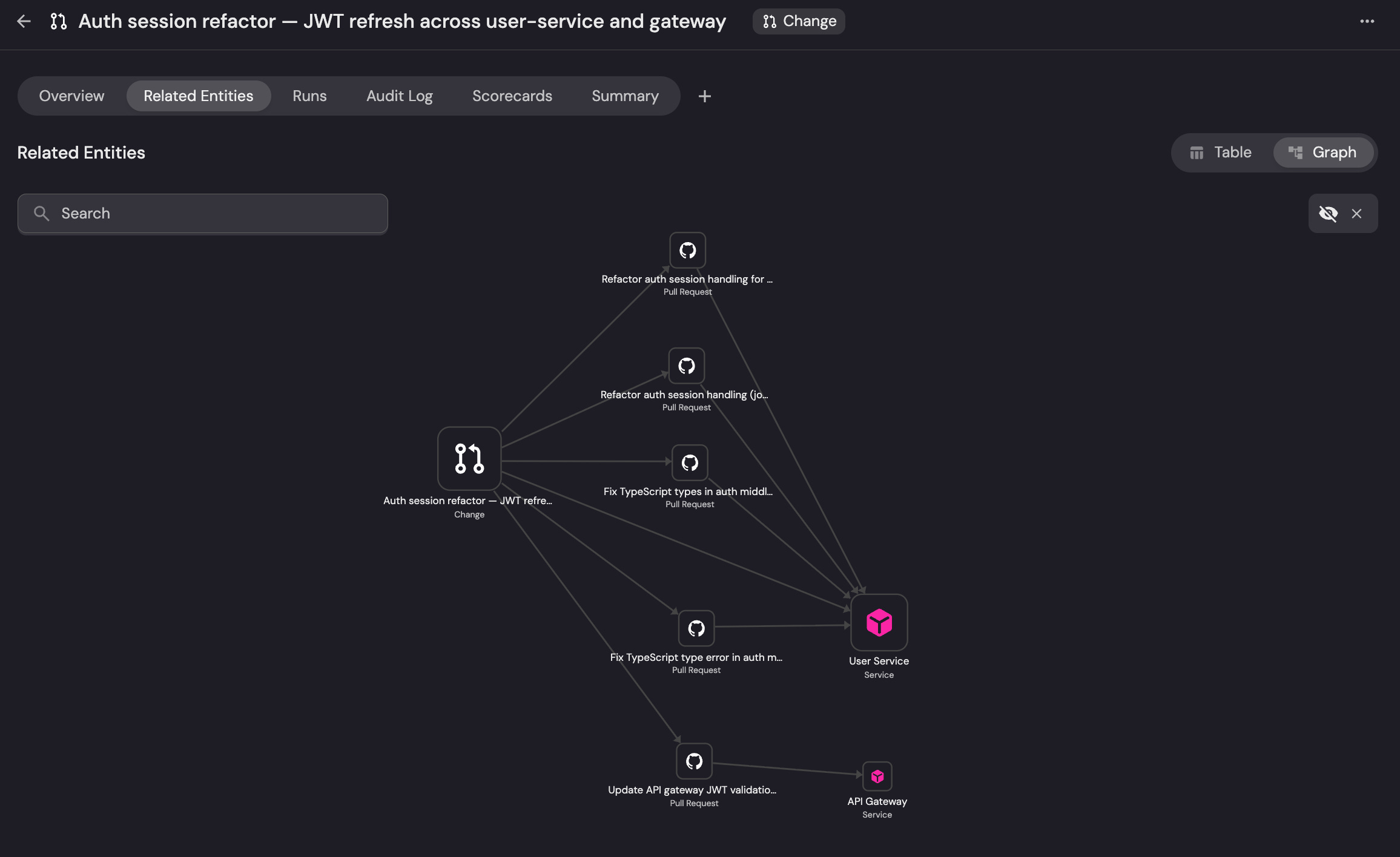
Step 1: Group PRs into changes
For this to work, you’ll need a way to group pull requests into…groups.
There are two ways you can group PRs. You can go with an explicit approach where you group PRs that are linked by tag. We won’t focus on this method.
The more interesting approach is to let an agent group PRs for you. Say on a particular day you have 120 new PRs opened. An agent should go through and look for ways to group them that appear as changes to the system. This is especially useful in cases where PRs aren’t attached to tickets.
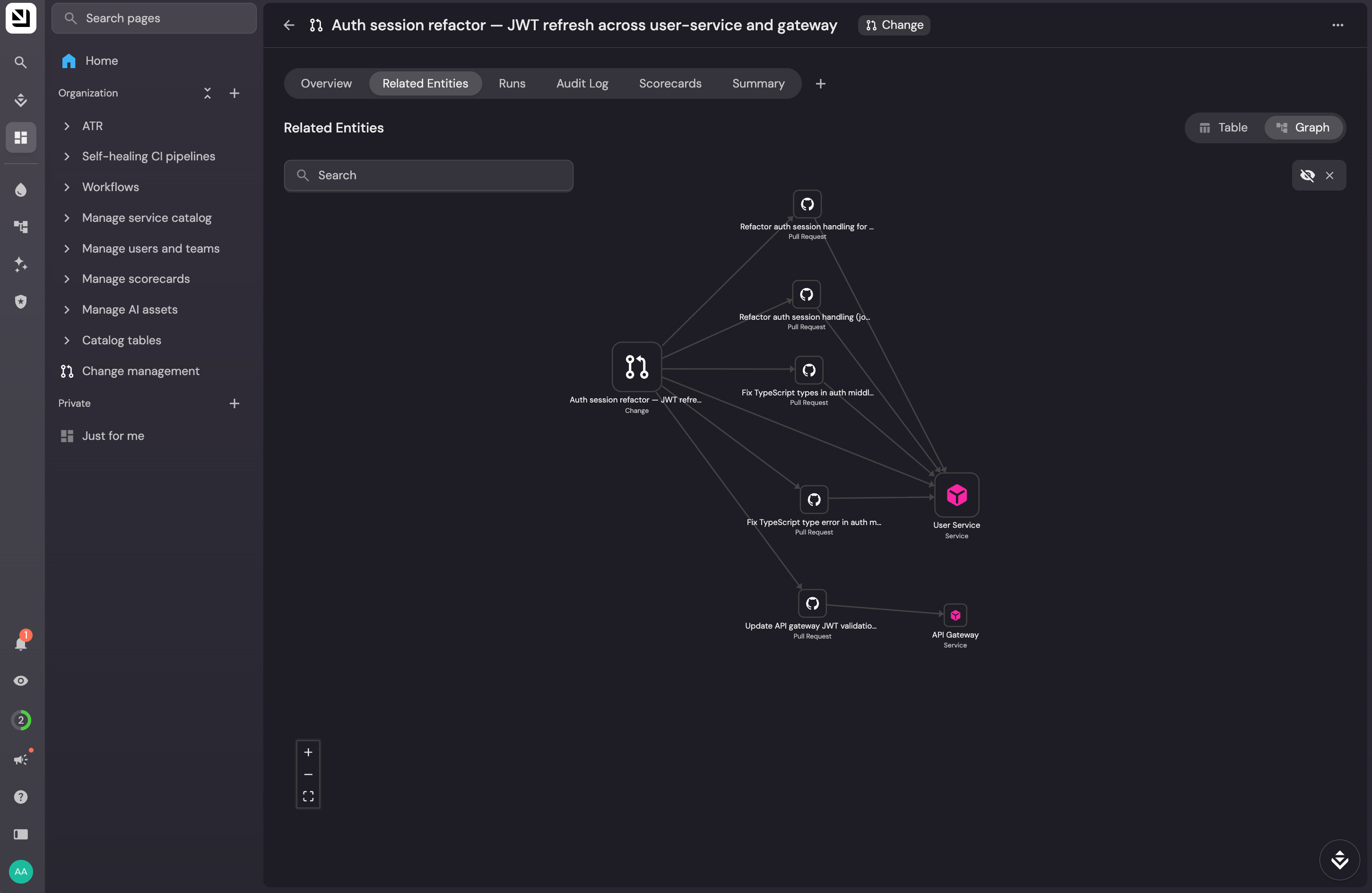
In order to group PRs together, they need to be grouped together on another entity. Let’s call it a “Change”. This change will be connected to multiple PRs that make up that change. It will also contain metadata that makes this structure useful for the person it helps.
“Changes” should have these properties but feel free to customize it to your liking:
Title: one line, what changed
Short summary: 2–3 sentences, plain language, why it matters
Long summary: A more detailed explanation of what’s changing
Risk level: A number from 0-100
Related PRs: list, with links to PRs
Owner: Likely owner pulled from the main Service relation
Status: Can trigger other agents or workflows
Step 2: The workflow
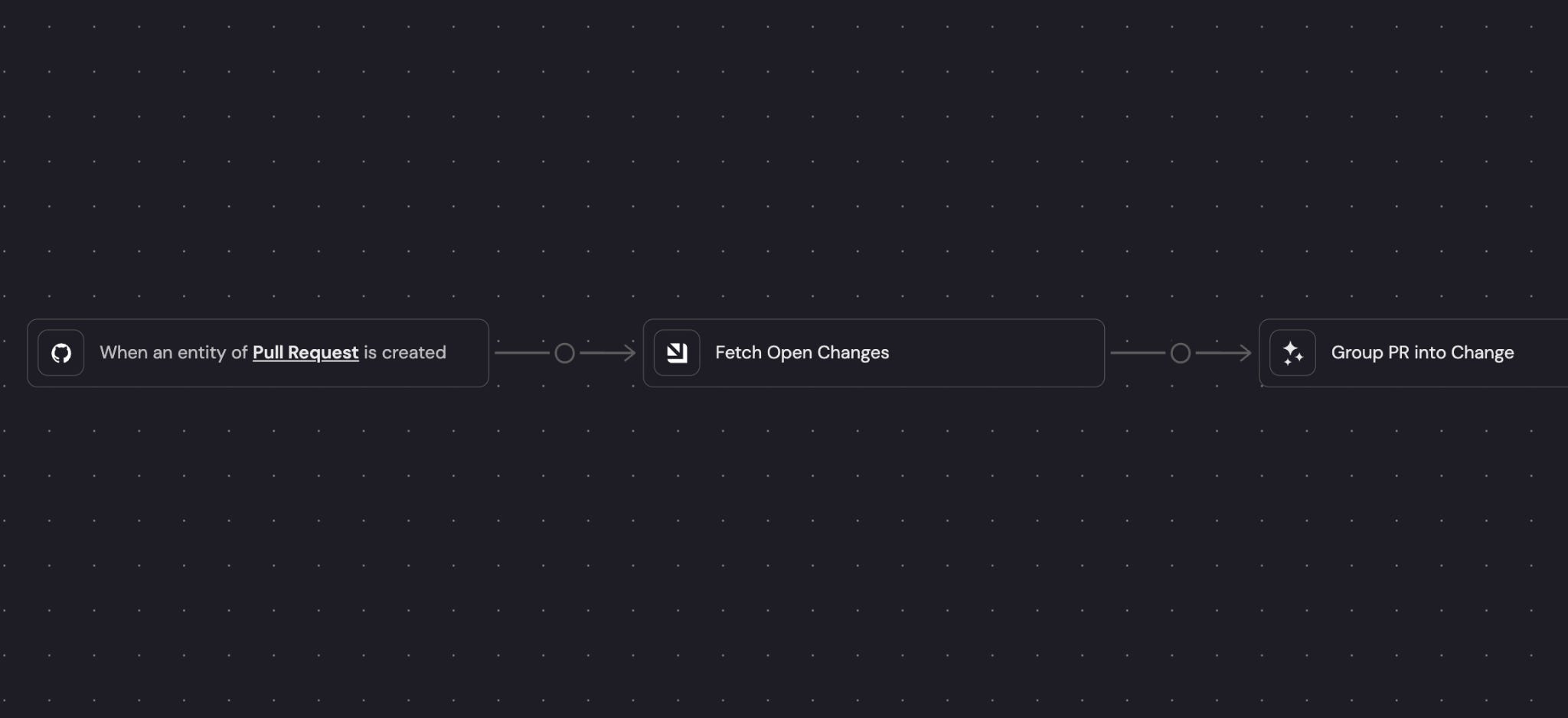
To make this work, we need a workflow that can be triggered on every new pull request and has access to all other pull requests and existing change groups.
Here’s how the workflow works
Trigger a workflow on every new pull request.
The agent reads the PR and its description
The agent looks at all the existing “changes” that are open.
The agent adds the PR to a “change” and updates its description and risk score
Step 3: Score the change and save to “change”
Every change in the system needs a change risk score. But it needs to be a “live” figure. As PRs get added to it, the risk score can change.
What should the score take into account? This is where the context lake is key. Every PR in the change should be connected to things it’s related to: service, owner, etc. But more importantly, it needs to have properties that show potential risk. For example, if a PR is connected to a service and that service doesn’t have an owner or someone on call right now - that’s risky.
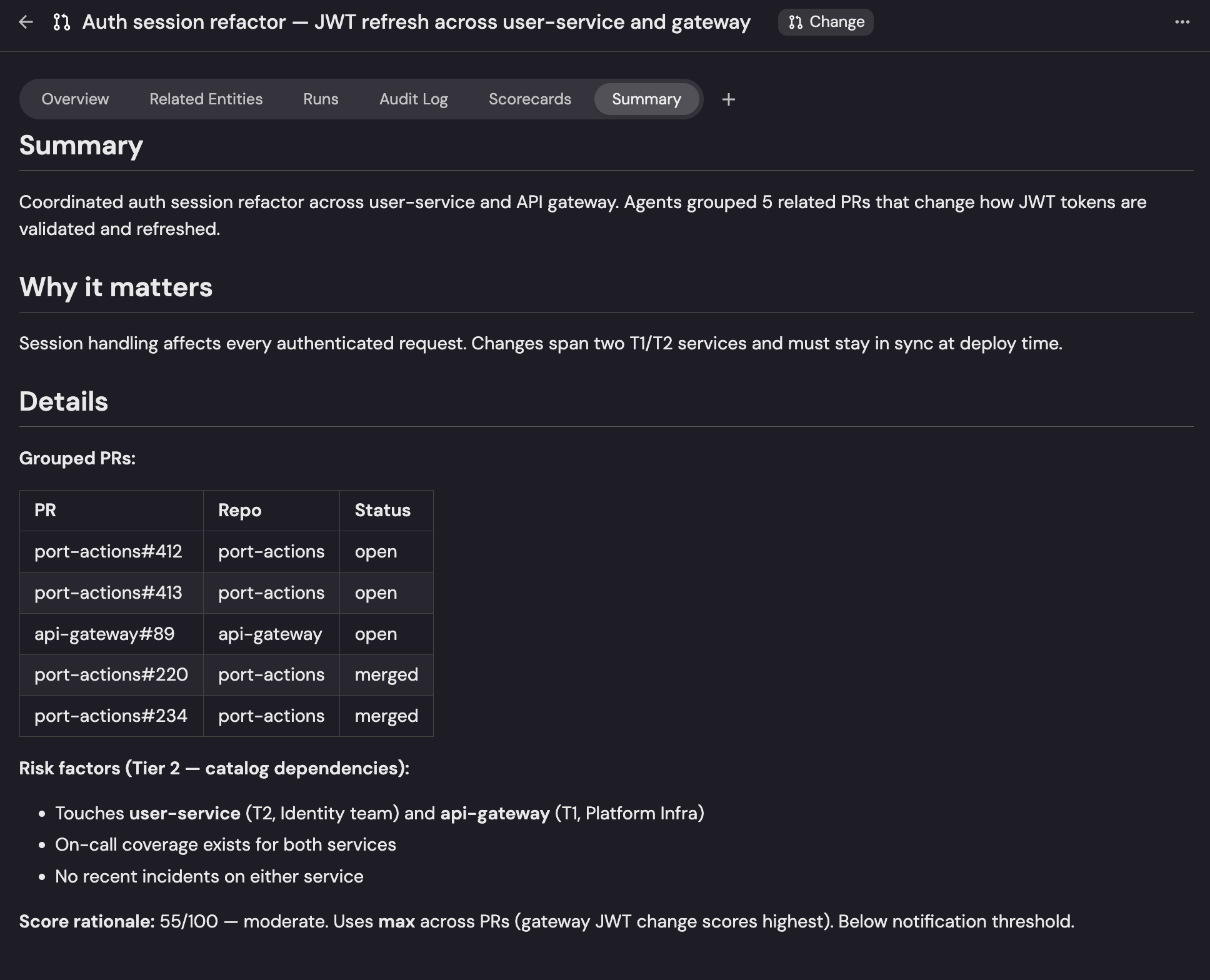
In general, you want your score to reflect the riskiest PR in the group, not the average.
Step 4: Notify of risky changes
When a change score goes above a certain threshold, someone should be notified so they can review. In that case, it makes sense to send a message to relevant people. In low risk cases, the changes can wait for review.
Step 5: Build a dashboard to see upcoming changes
You’ll need a place to actually see what changes are happening, so for that we will create a simple dashboard.
This is what I set up in Port:
How many changes are open right now
How many changes are high risk
A change’s summary
A way to look at the PRs in each change if I need to
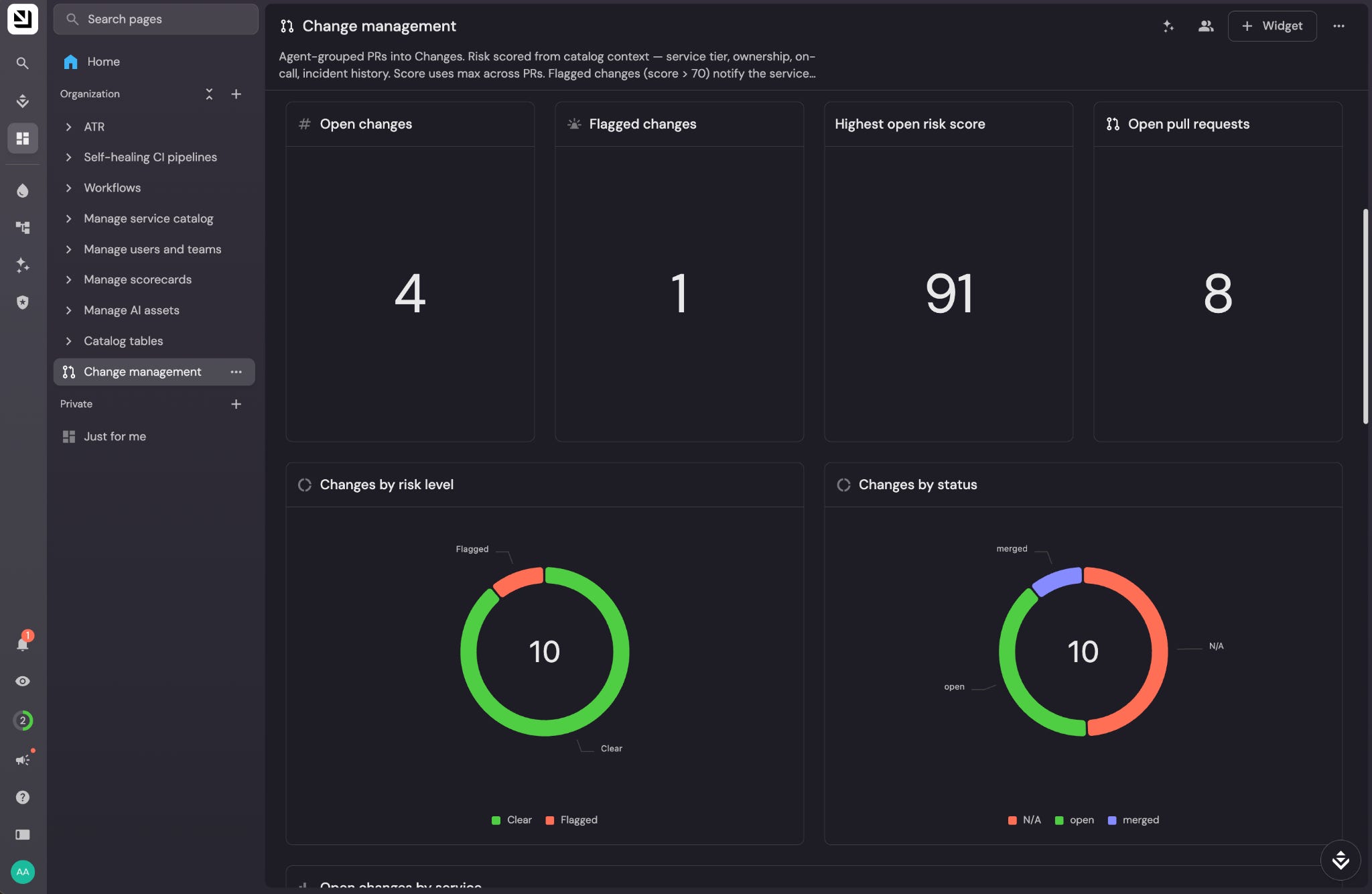
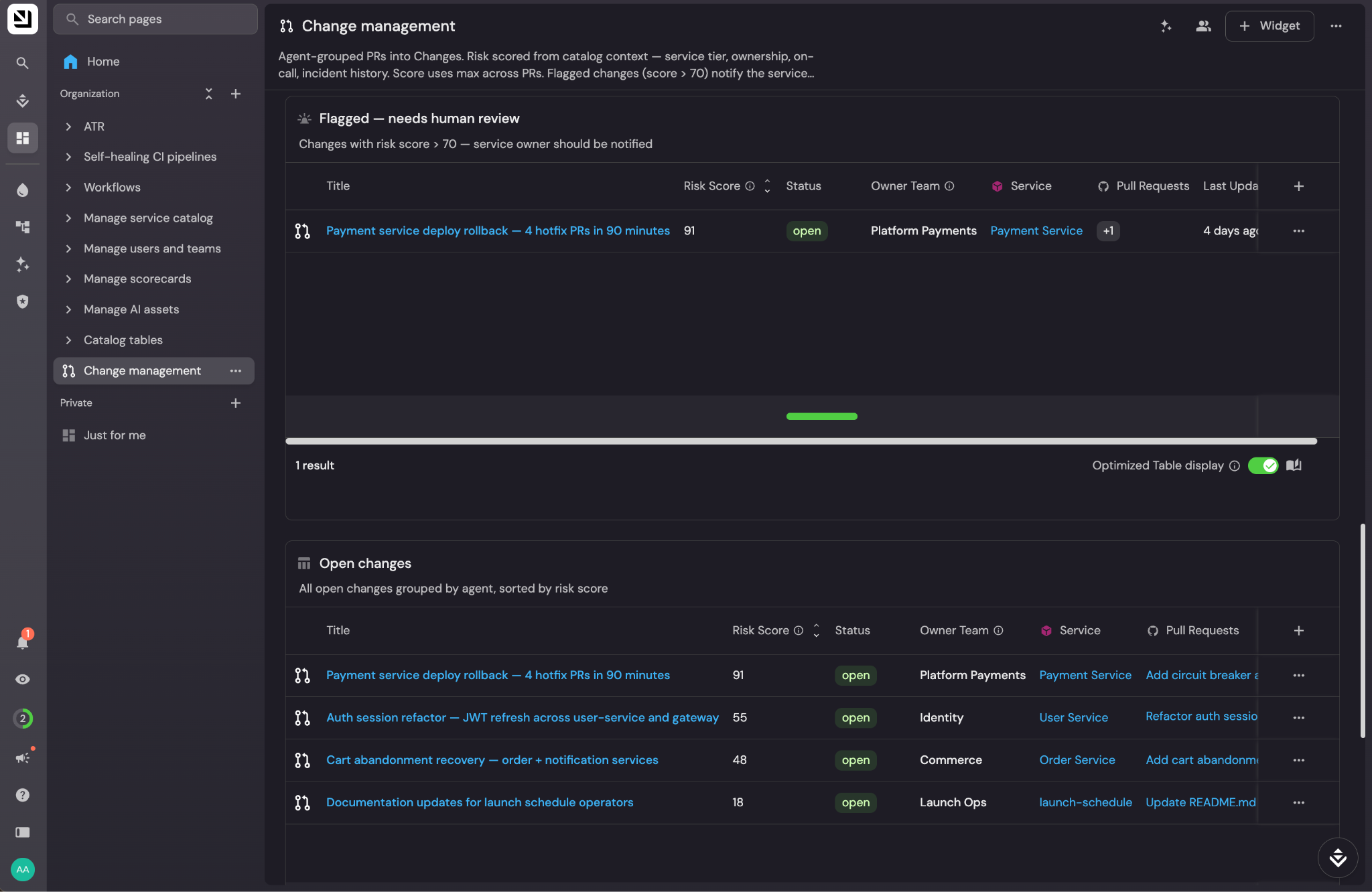
And this is what the change review looks like for us now. Instead of reading code, we see that a number of PRs are grouped in a change, and we see what else those PRs touch, like services, incidents, or users.
So that’s what we use now to stay in the loop about changes at Port. Instead of following PRs, we have agents help us follow changes as they go through our agentic SDLC.